
How to manage your Subscription
To manage your subscription, click the profile icon in the main navigation and select Billing & Subscription.
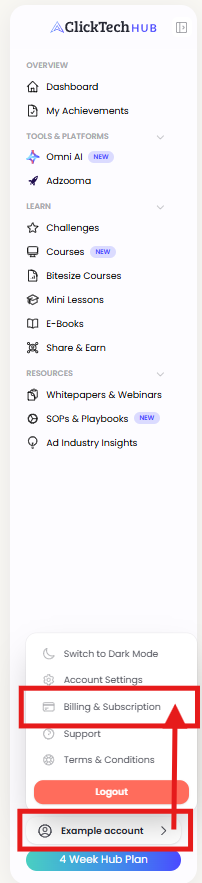
Here you can see your current plan, account status, next payment date, and the amount due.
To change your plan, click Change Plan and select a new one. The change will apply from your next billing date.
To cancel, click Cancel Subscription. You'll keep access until the end of your current billing period. Then you will be downgraded to a free plan.
Learn more about our free plan.
For full details, see our Subscription Terms and Conditions.
See our subscription terms and conditions.